Ceci n'est pas Magit.
Magritte is a fast, keyboard-first git client imbued with the spirit of Magit, no Emacs required.
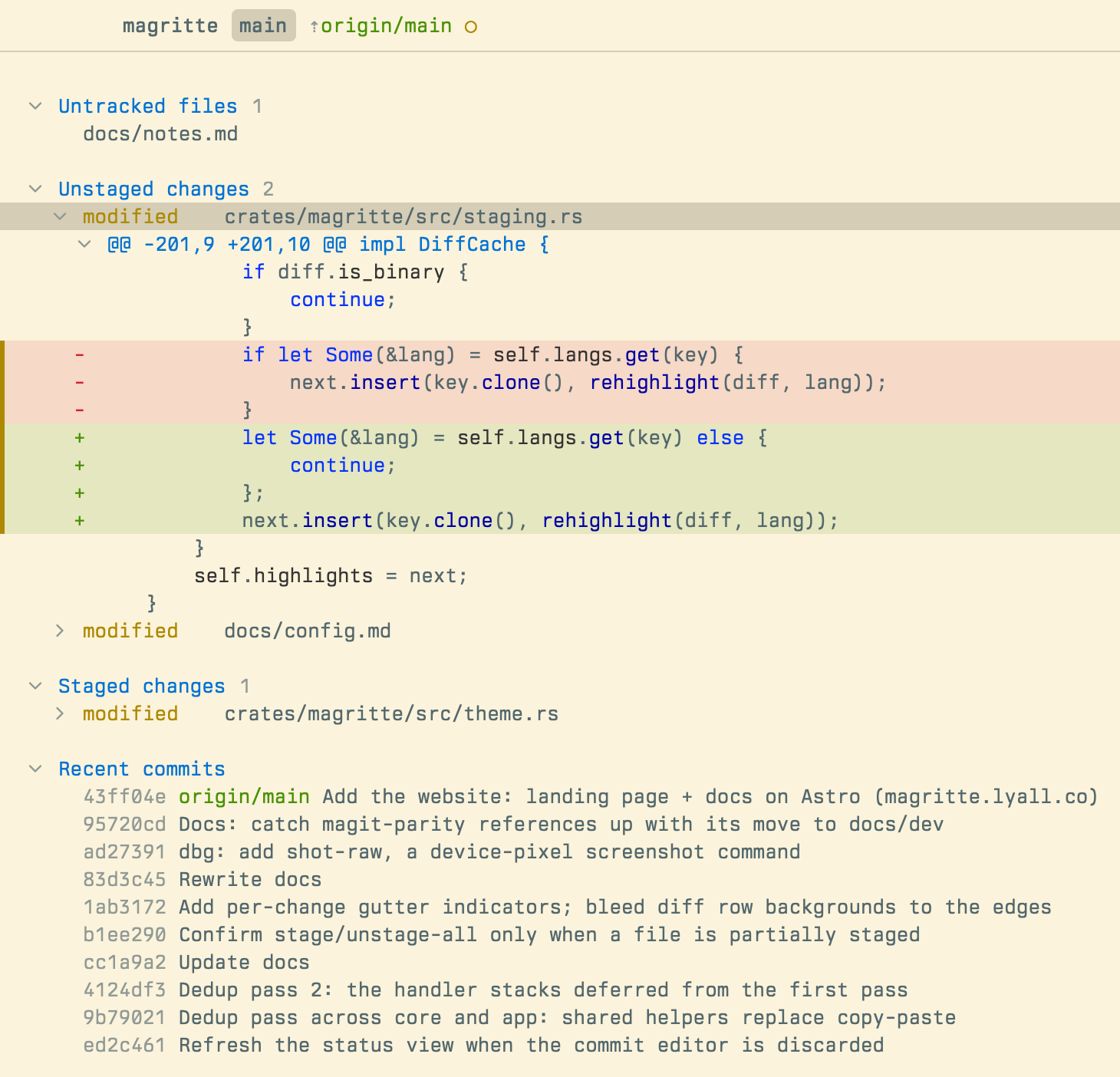
The spirit of Magit?
Magit is beloved by its users for its fast, intuitive interface. Keybindings are natural and easily discoverable. It makes using git both faster and simpler than the git CLI.
Interactive rebasing is a breeze with Magit, as is staging exactly the lines you want from a diff without having to use the tedious git add -p flow. Magit is also extensible and lets you assign arbitrary commands and keybindings, allowing you to mold it to your workflow.
But Magit is inextricable from Emacs. It's hard to use Magit if you aren't already familiar with the beast that is Emacs. And while learning Emacs is a worthwhile investment, it's not something that everyone has the time or inclination for.
Why Magritte?
If you already use Magit and Emacs and are happy with it, then Magritte is probably not for you! But if you don't want to use Emacs, then Magritte can fill the Magit-shaped hole in your heart that you probably didn't even know was there.
Magritte has the same intuitive interface as Magit, but is even faster thanks to its fully asynchronous design, Rust core and UI built with gpui, the framework that powers Zed. Magritte's UI is always responsive, no matter how long a background operation takes. Its customization is simpler while still having a lot of depth. It also adds quality of life features such as auto-fetch, auto-refresh, syntax highlighting, integration with external editors, and a standalone Git mergetool.
And of course Magritte is a standalone app. It's not weighed down by 50 years of Emacs development history, and the various limitations and foibles that come with that. Magritte's UI uses modern patterns while remaining keyboard-first and mouse-accessible.
Installation
Via homebrew:
$ brew install lyallcooper/magritte/magritteOr download a binary from GitHub.
Basic Usage
After installation, launch Magritte from your terminal:
# Open the repo you're in
$ magritte

# Or pass a repo to open
$ magritte /dev/my-project
The main screen is the status view. It presents git status information, such as untracked, unstaged, and staged files. It also shows your stashes, unpushed/unpulled changes, recent commits and more.
Use j / k to move. Press Tab on a file name in the status view to expand its diff. Stage and unstage changes using s and u. Open the commit menu with c.
If you ever feel stuck…
Press ? or click the ? icon in the bottom right to bring up the interactive, context-aware help menu. It shows all the actions you can take. It's helpful!
Use v to enter the ever-useful multi-line visual selection mode. Use it to act on multiple files at once. You can even use it to surgically target specific lines within a diff hunk to act on.
The default keymap uses vim-like (emacs-evil) keybindings. If you prefer traditional emacs-style, change the Keybindings to "Vanilla" from the settings screen (accessible via ,). You can also set the keymap_preset to "vanilla" in the config file.
Basic keybindings, vim-style (default)
Basic keybindings, vanilla emacs-style
Transient menus
Magit and Magritte are both built upon keyboard-driven transient command menus, or transients for short. Transients guide you towards your goal by showing you the available options and actions you can take.
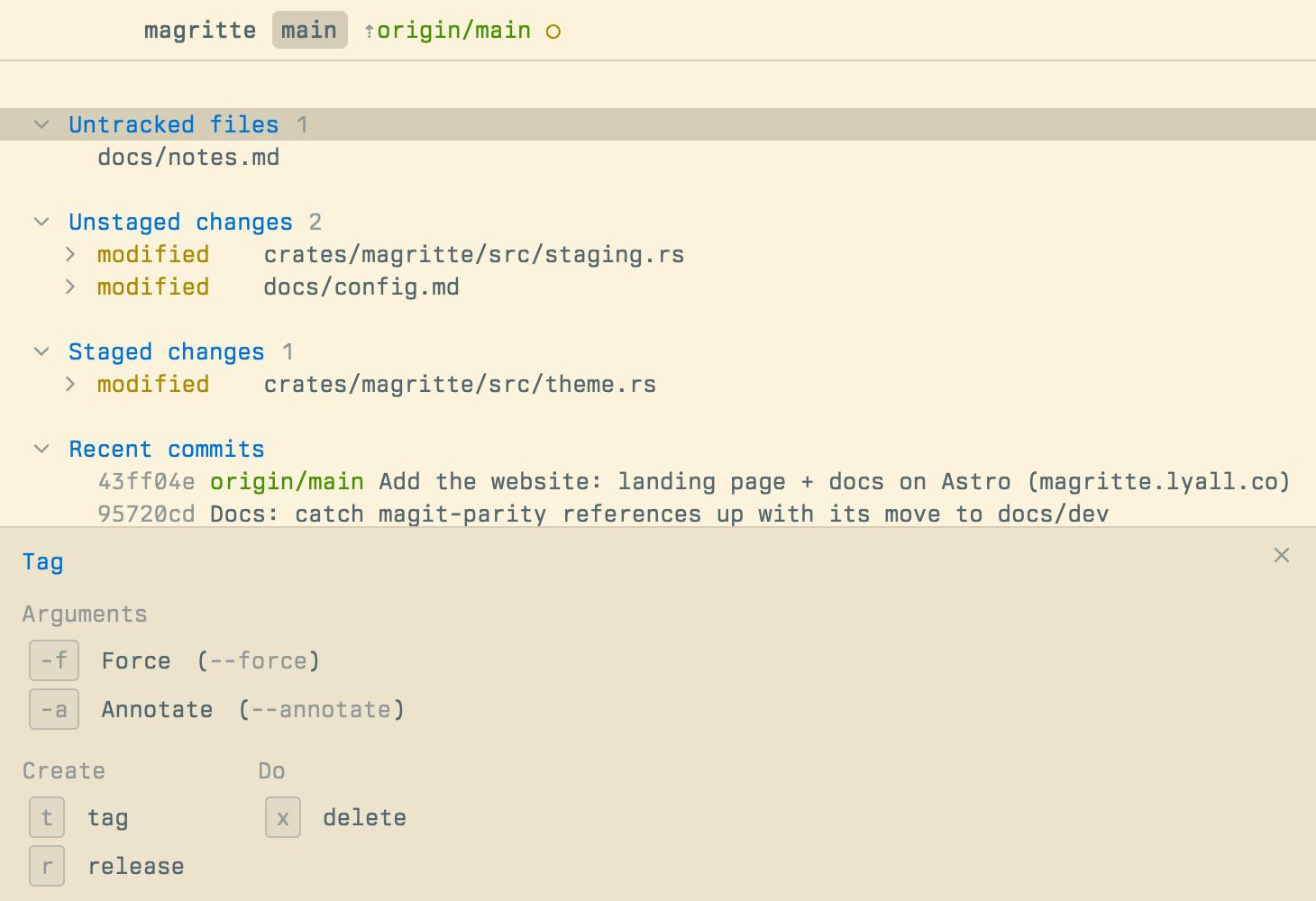
Transients are customizable. See the relevant docs section.
Configuration
You can configure essentials from the settings screen (accessible via ,). More advanced settings and custom commands are configurable via theconfig.toml config file. See the configuration docs for more details.
Status
Magritte is under active development. Current limitations:
- macOS on Apple silicon is the supported release target
- Linux
x86_64builds exist but are best effort - Requires
gitexecutable on your$PATH - Release builds are ad hoc signed, not Apple notarized